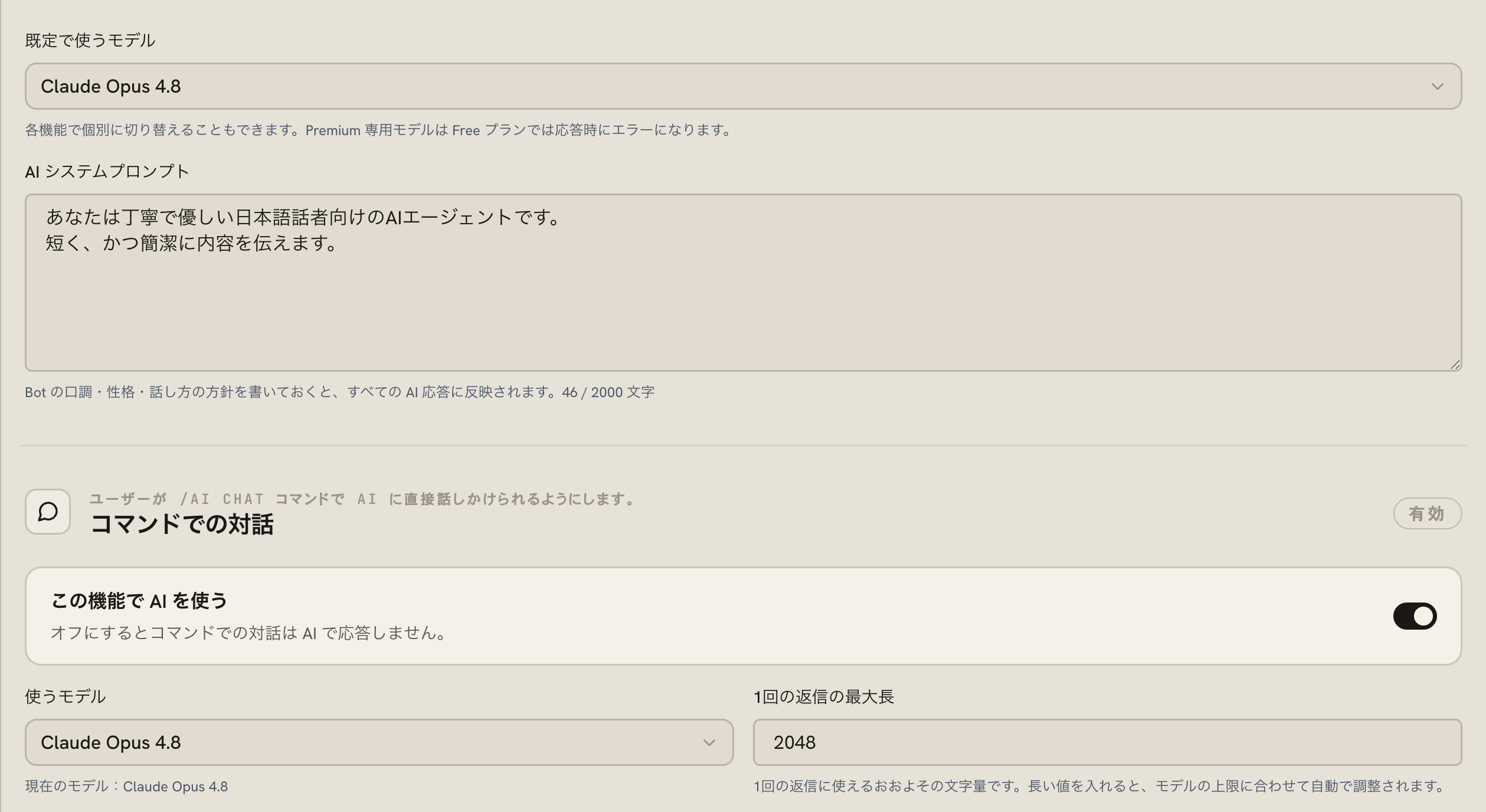
AI replies in four contexts.
In-channel chat with `/ai chat`, AI-powered keyword auto-responses, first-touch responses in support tickets (auto-stops when staff replies), and server-wide always-on chat. Each context has its own targeting and behavior controls.
Pick Claude, reasoning, or standard per use case.
Standard models via DeepInfra, Claude Haiku 4.5 / Sonnet 4.6 / Opus 4.8, and dedicated reasoning models, each assignable per feature. Tune the quality and cost balance yourself.
BotShade
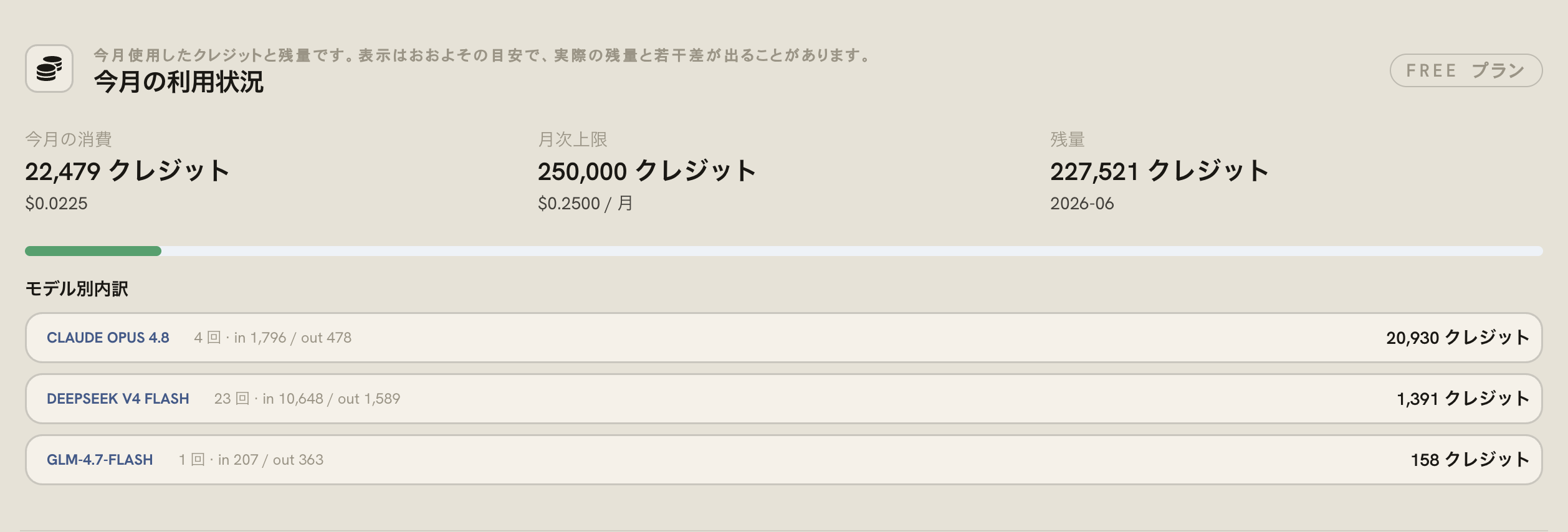
Usage you can see in the dashboard.
Each model shows the credit cost per reply as low / medium / high / very high. Monthly usage, remaining quota, and per-model breakdown are visible in the dashboard, and `/ai usage` exposes the same view inside Discord.
BotShade
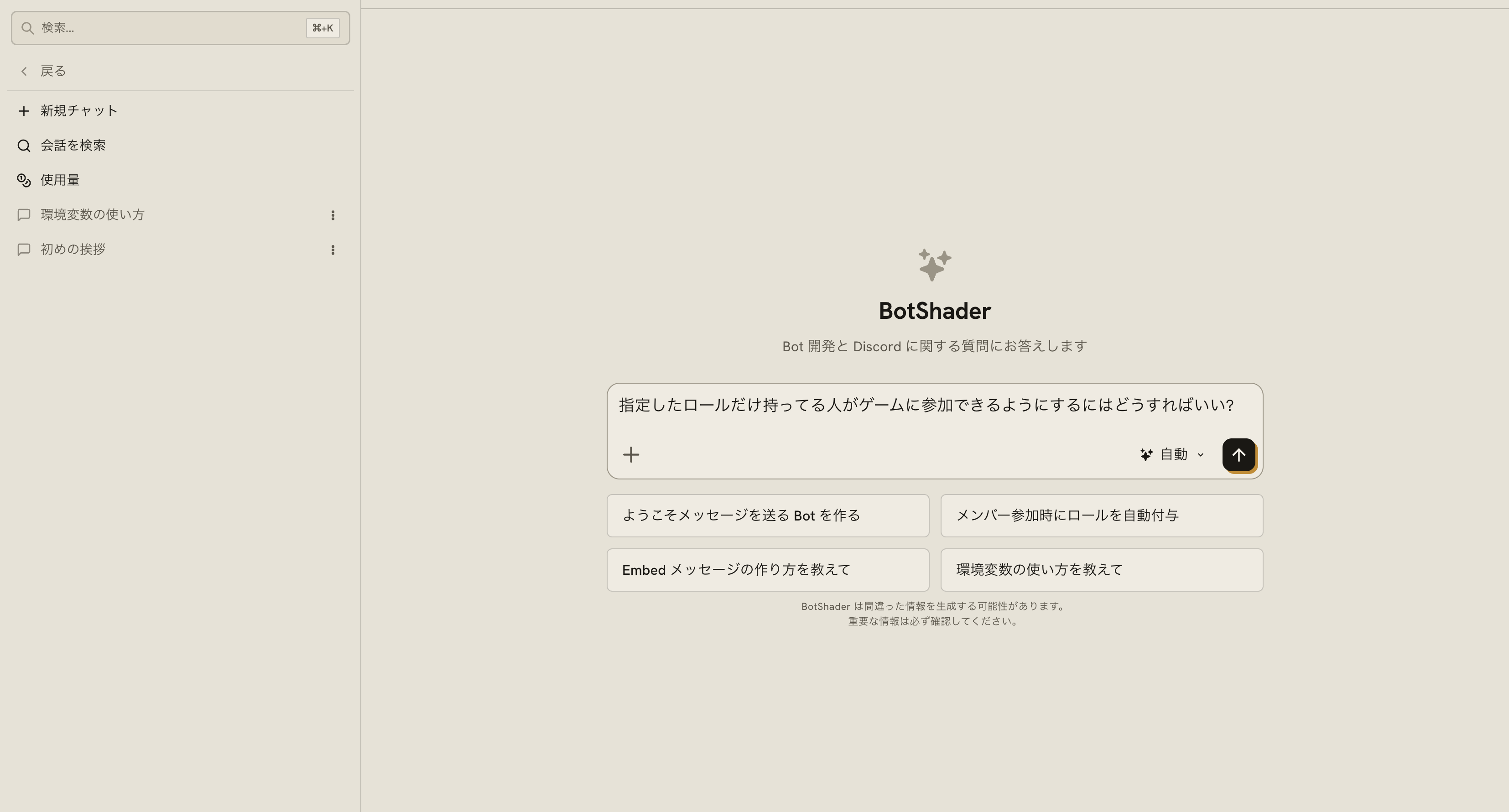
An AI build assistant in the dashboard.
BotShader AI guides you through commands and configuration in conversation. Choose the model and reasoning effort, watch your usage from the sidebar, and submit with Cmd / Ctrl + Enter.
BotShade